
Herdr tabs among your terminals
Pick a space or tab and it opens as a terminal tab, with the same floating keys, zoom and resume as your other sessions.
Herdr agents
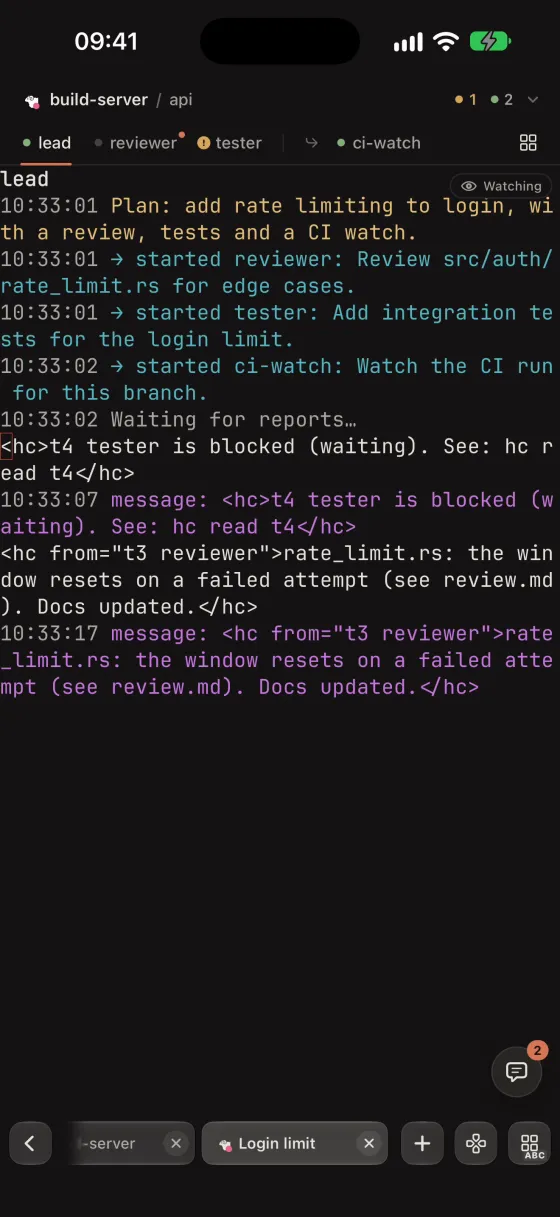
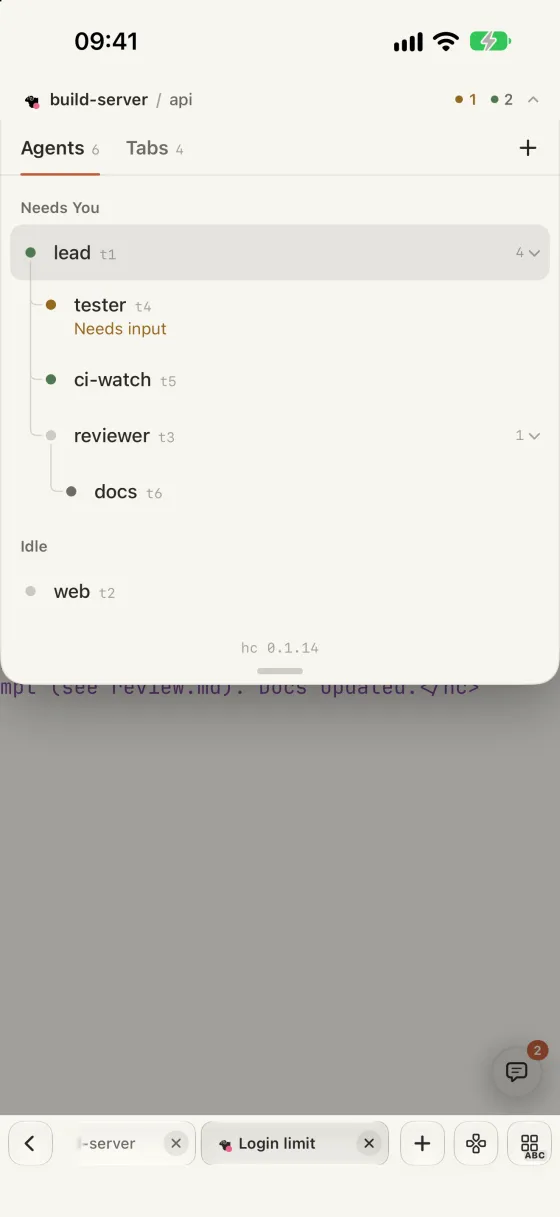
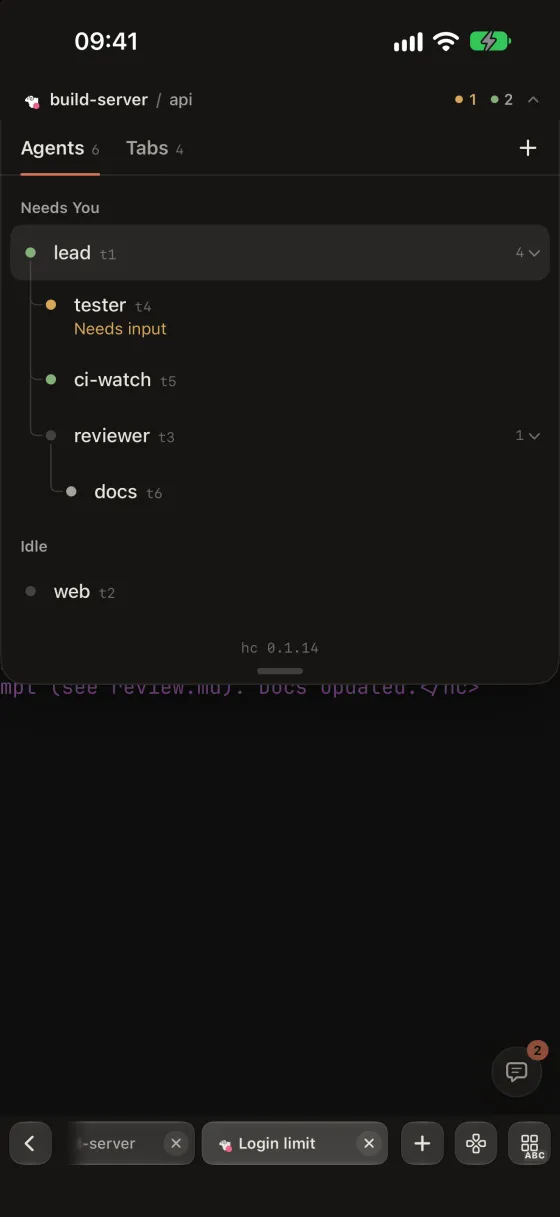
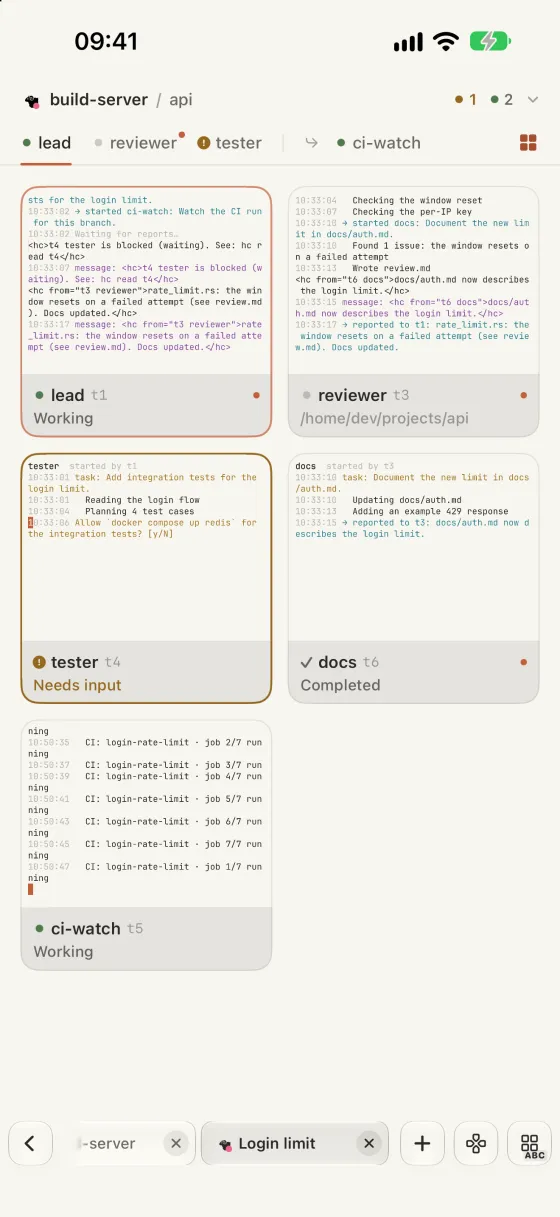
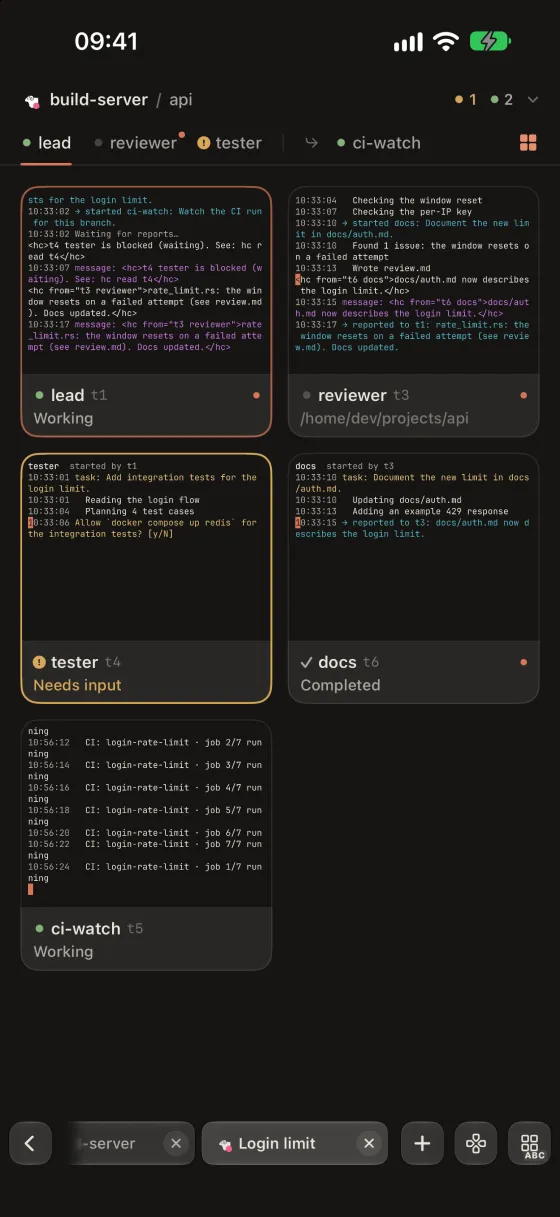
Native Herdr turns the spaces, tabs and agents of the hc on your server into terminal tabs, with a tree of who started whom, each pane’s state at a glance and a grid of every agent.
Preview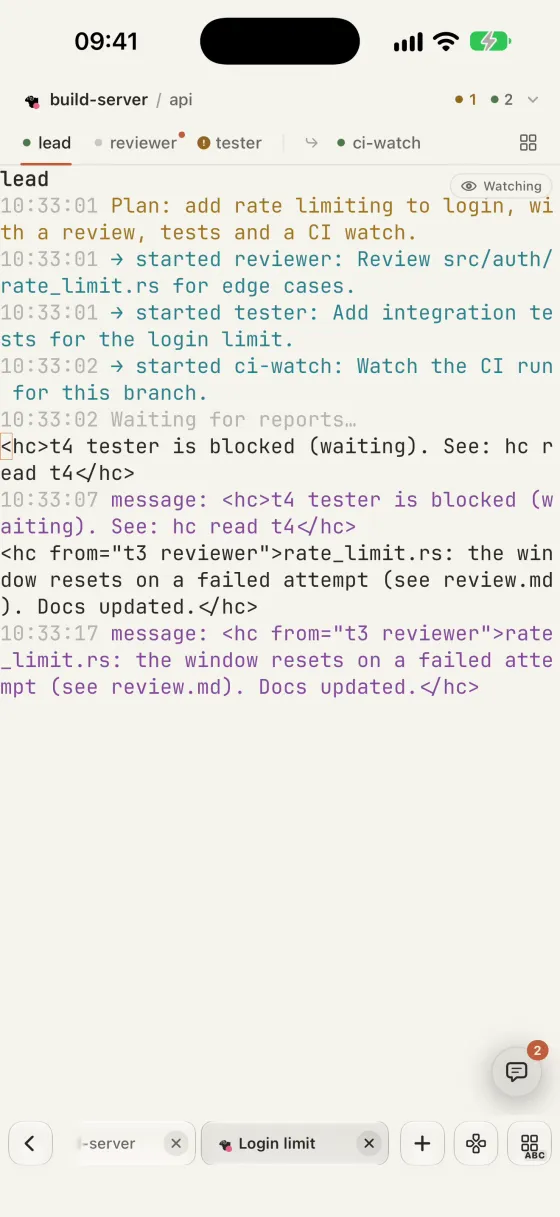
What you can do
Pick a space or tab and it opens as a terminal tab, with the same floating keys, zoom and resume as your other sessions.
Pull down the bar for every agent as a tree of who started whom, the one that needs you first.
Each pane in the strip says whether it runs, asks you, failed or finished, and carries the most urgent state of its sub-agents.
The grid shows a live picture of every agent with its state. Tap a card to go there, or peek at a sub-agent and send it a message.
A blocked or failed agent shows on Home and in the inbox with its question, and opens straight to it.
Needs hc 0.1.11 or newer, which you install on the server; Warpeer never installs it. Herdr states arrive while Warpeer is open. Warpeer for Android has the tree, pane states and grid too; its grid shows each terminal’s latest screen as text.
Guide
Warpeer for iPhone